Skip to content

VirtuallyThatGuy

Anything VMware , PowerCLI, PowerShell, Automation and some Windows

Menu
  • Home
  • PowerCLI
  • VMware
  • Automation
  • Windows
  • About
Menu

My Home LAB – VirtuallyThatGuy

Posted on September 8, 2019December 19, 2025 by VirtuallyThatGuy

This section covers the hardware spec of the Home LAB… Any Further changes including a LAB topology will be added going forward.

Home LAB replaced with Fujitsu R570-v2 Workstation

  • 2 x Xeon x5660 (24 Cores)
  • 72GB ECC RAM
  • 2 x 1TB NVME [Run most of the VMs in the LAB]
  • 2 x 250GB SSD [No use case for them atm. Probably Nested vSAN]
  • 1TB SSD [For VEEAM Backup]
  • 120GB SSD (For 6 x Nested ESXi)
  • Quad 1gb NIC Card [1 mgmt traffic, 1 VM, 1 vmotion, 1 storage]
  • 1 x HP Procurve 8 port switch [vMotion and iSCSi Storage Traffic]
  • 1 x TP Link 8 port switch [Mangement Traffic and VM Traffic]
  • Prod Cluster – ESXi 6.7u1 – each hosts has 8 NICs [2 mgmt, 2 VM, 2 Vmotion and 2 Storage – each is on active active teaming]
  • Dev Cluster – ESXi 6.5u2 – each hosts has 8 NICs [2mgmt, 2 VM, 2 Vmotion and 2 Storage – each is on active standby teaming]
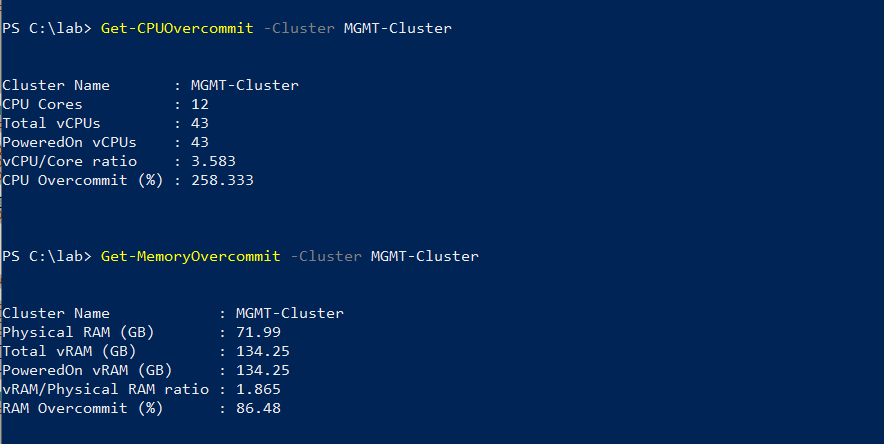
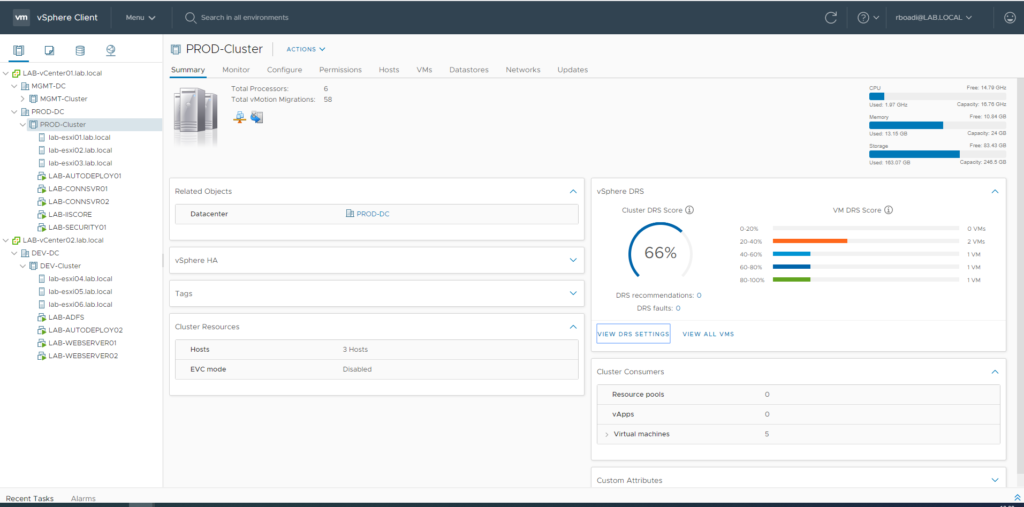
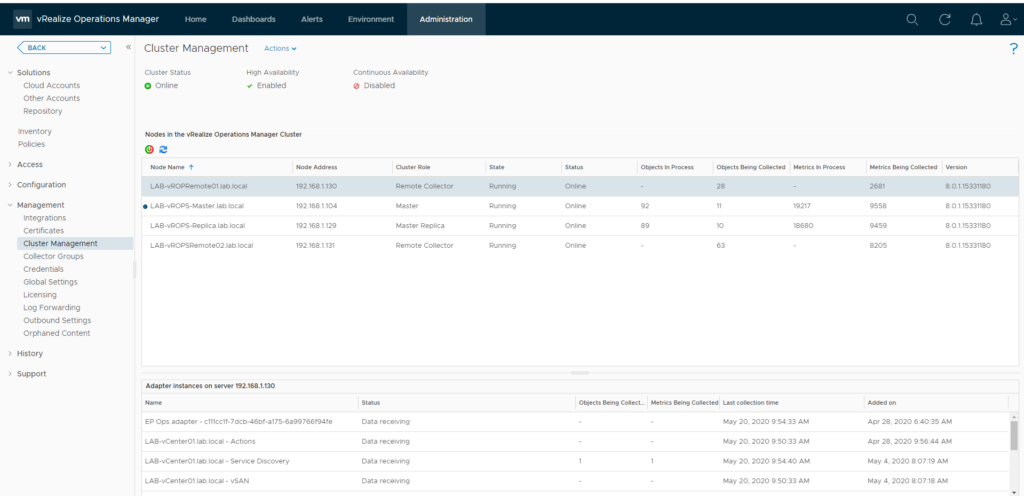
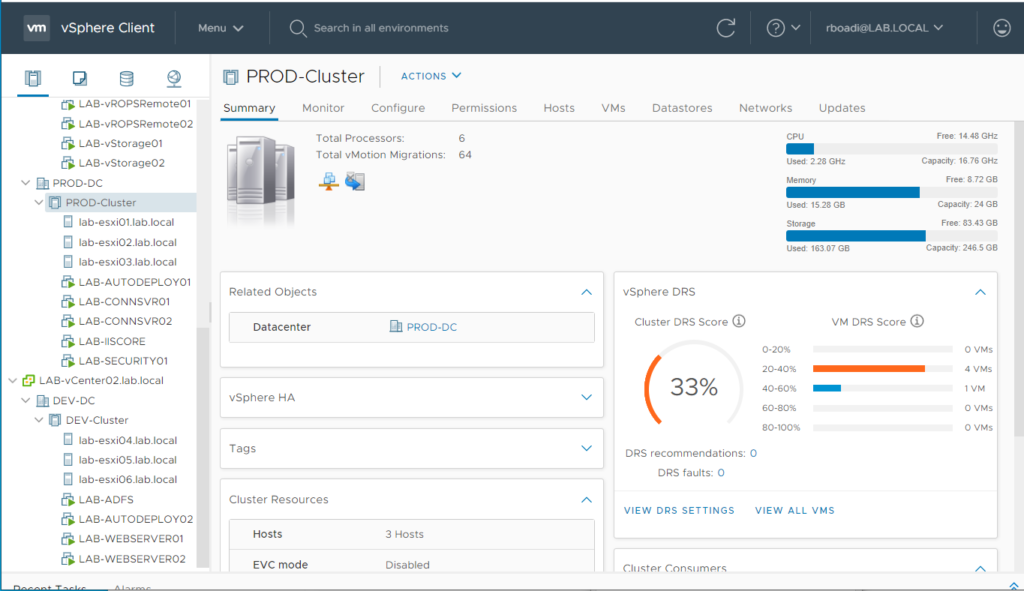
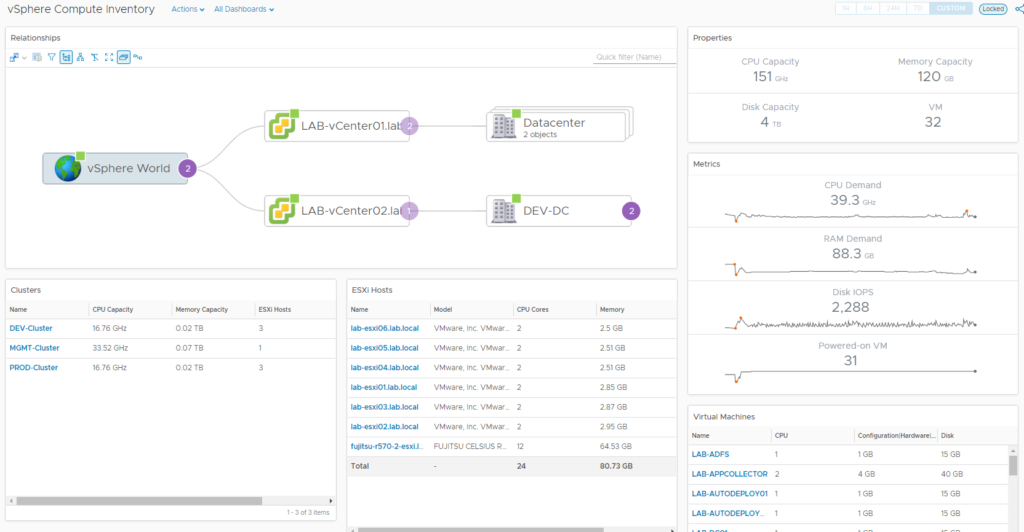
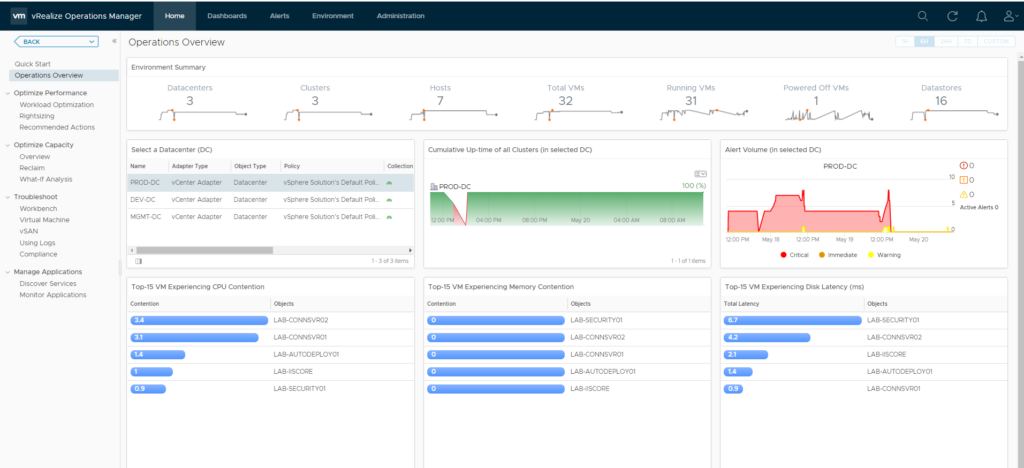
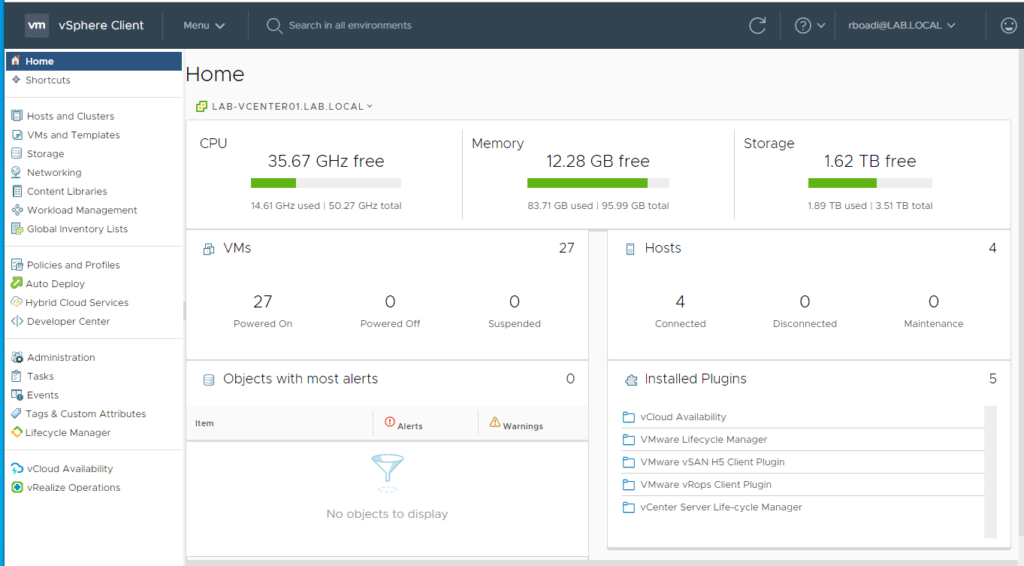
LAB Resource Overview
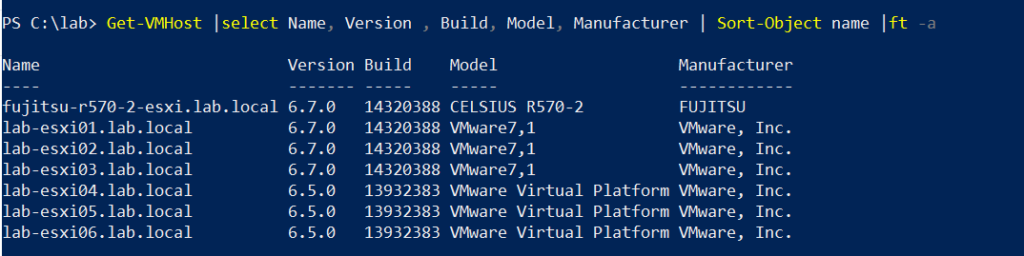
Main ESXi and Nested ESXi
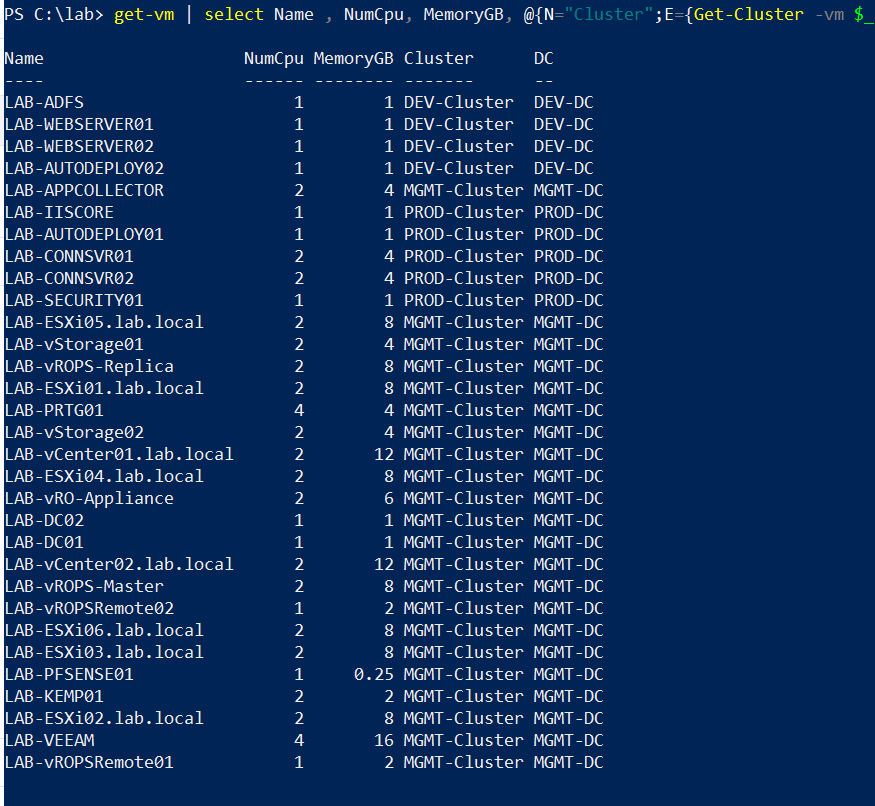
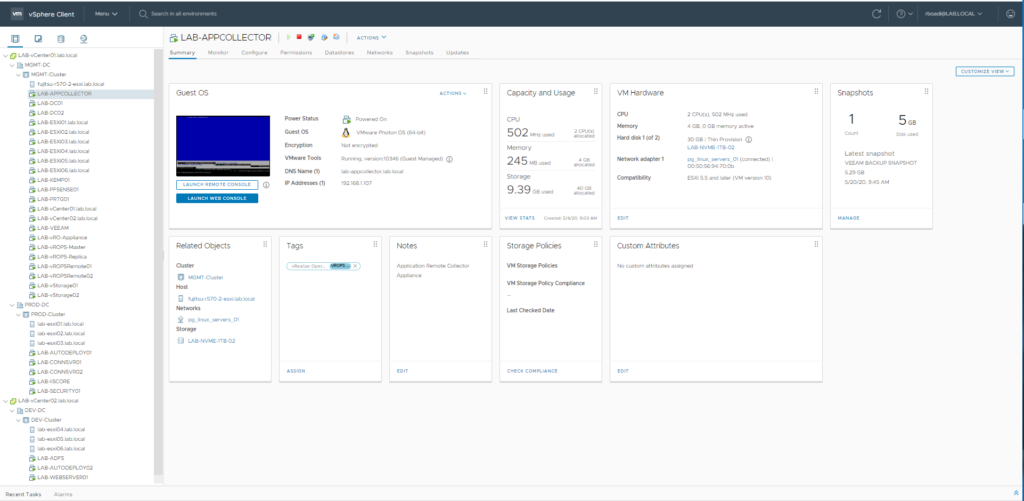
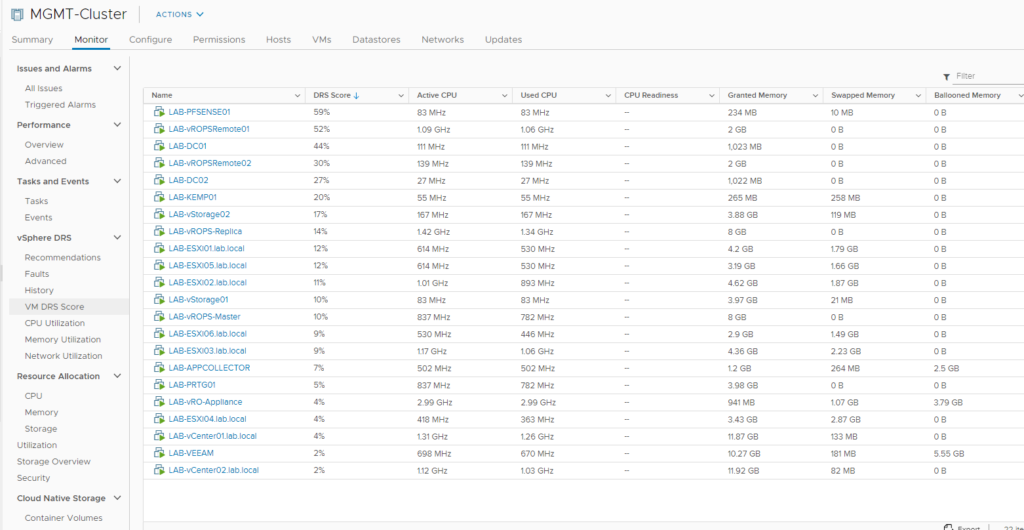
VMs In The LAB
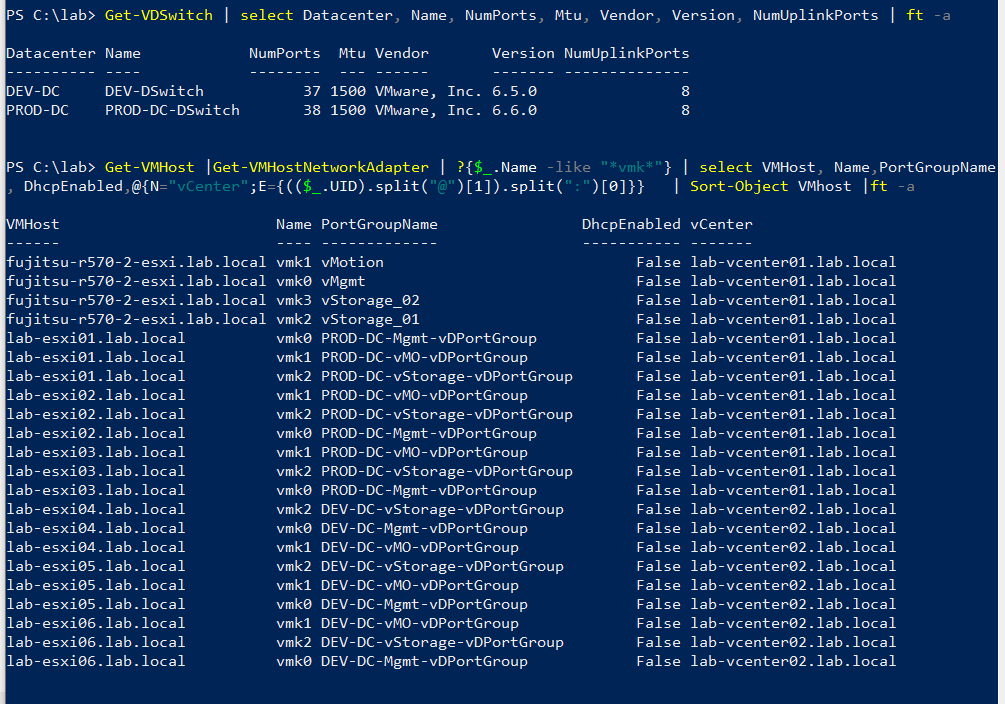
Distributed Switch and Portgroups In The LAB
Home Lab Gallery – Click to view image in new tab

2 thoughts on “My Home LAB – VirtuallyThatGuy”

  1. wolfrem says:
    March 5, 2020 at 7:00 pm

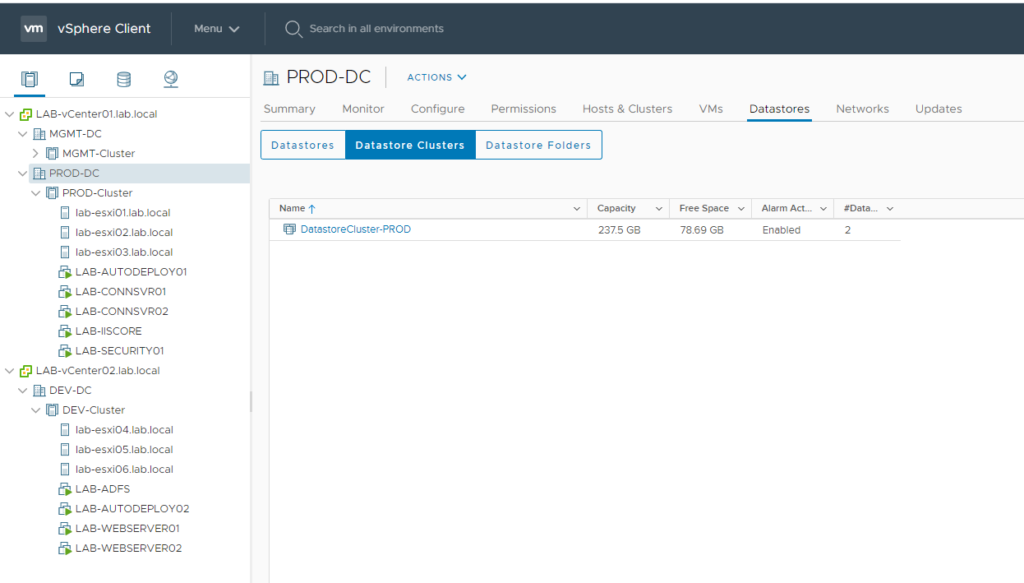
    You can place an image of the physical and logical distribution.

    Reply
    1. VirtuallyThatGuy says:
      May 19, 2020 at 6:57 pm

      Updated as per request

      Reply

Leave a Reply Cancel reply

Your email address will not be published. Required fields are marked *

Recent Posts

  • vROps: Management Pack Troubleshooting
  • Windows AD {Active Directory} (PowerShell) samples
  • Migrate VMs Between vCentres Using Powershell or PowerCLI
  • Set VM Tools to Update Automatically on VM Reboot using powershell
  • Windows Administrator Must Have Powershell Commands

Recent Comments

  • JB on Script: How to get VM with Tag Assignment and export results to csv using PowerCLI or Powershell
  • DL on How to change VCSA root password and bypass BAD PASSWORD: it is based on a dictionary word for vCenter VCSA root account warning
  • 360coolp on How to change VCSA root password and bypass BAD PASSWORD: it is based on a dictionary word for vCenter VCSA root account warning
  • Yogesh on ESXi 8.x, 7.x, 6.x Service sfcbd-watchdog Not Running / Fails to Start – VirtuallyThatGuy
  • VirtuallyThatGuy on ESXi 8.x, 7.x, 6.x Service sfcbd-watchdog Not Running / Fails to Start – VirtuallyThatGuy

Archives

  • March 2023
  • February 2023
  • January 2023
  • December 2022
  • November 2022
  • October 2022
  • September 2022
  • August 2022
  • July 2022
  • June 2022
  • May 2022
  • April 2022
  • March 2022
  • February 2022
  • January 2022
  • December 2021
  • November 2021
  • October 2021
  • September 2021
  • August 2021
  • July 2021
  • June 2021
  • May 2021
  • April 2021
  • March 2021
  • February 2021
  • January 2021
  • December 2020
  • November 2020
  • October 2020
  • September 2020
  • May 2020
  • April 2020
  • March 2020
  • February 2020
  • January 2020
  • December 2019
  • November 2019
  • October 2019
  • September 2019
  • August 2019
  • July 2019
  • May 2019
  • April 2019
  • March 2019
  • February 2019
  • January 2019
  • December 2018
  • November 2018
  • October 2018
  • July 2018
  • June 2018
  • May 2018
  • April 2018
  • March 2018
  • February 2018
  • January 2018
  • December 2017

Categories

  • Automation
  • PowerCLI
  • VMware
  • Windows
© 2026 VirtuallyThatGuy | Powered by Superbs Personal Blog theme